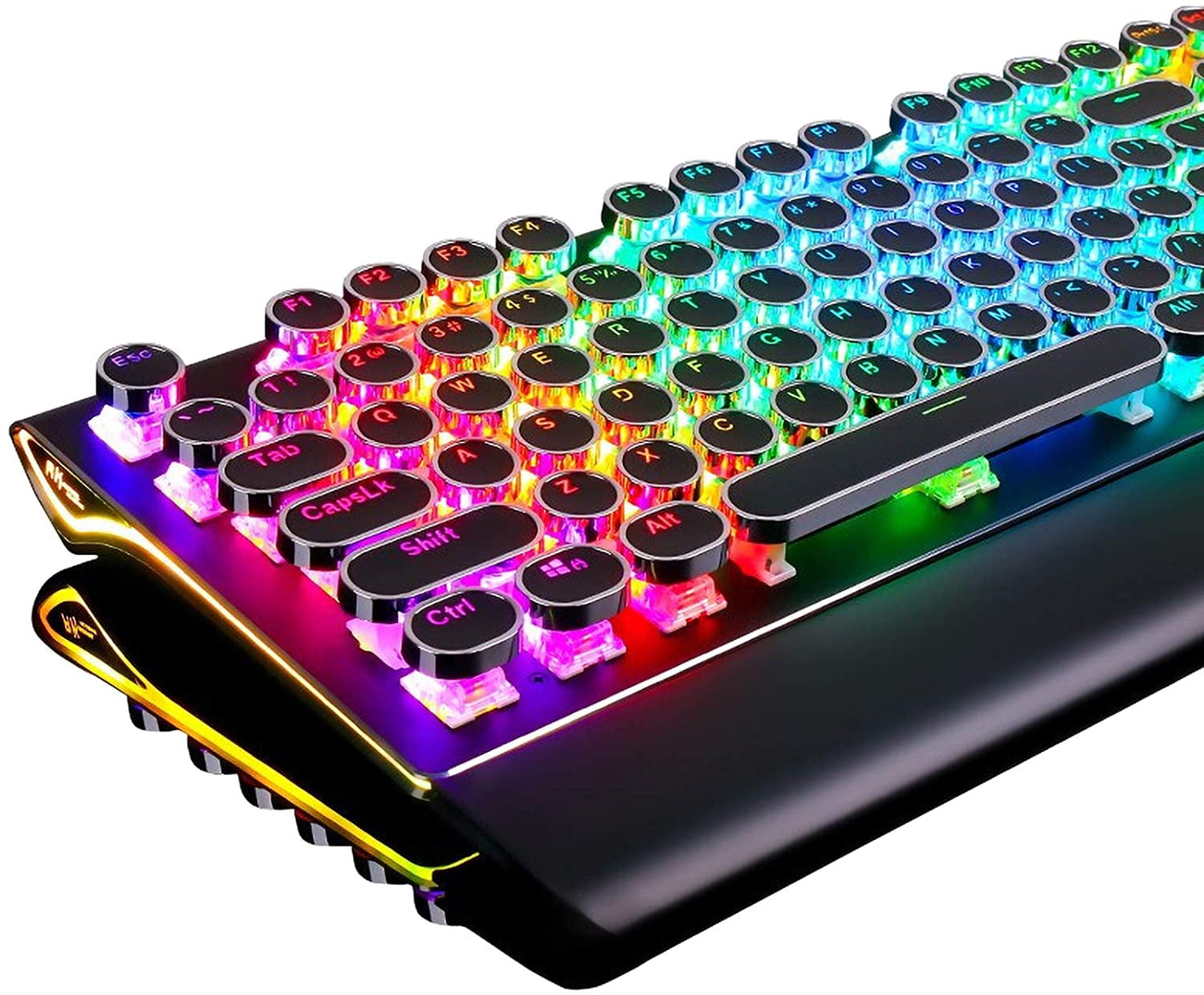
Level Up Your Game: A Deep Dive into Mechanical Keyboards for Gaming
For gamers, the keyboard isn’t just an input device; it’s an extension of their will, a conduit for skill, and a critical tool for victory. While membrane keyboards have long been the standard, mechanical keyboards have surged in popularity within the gaming community, offering a tangible edge that goes beyond mere aesthetics. This article explores the world of mechanical keyboards for gaming, delving into their advantages, key components, switch types, and essential features to help you make an informed decision and elevate your gaming experience.
Why Mechanical Keyboards Reign Supreme for Gamers
-
Tactile Feedback and Responsiveness:
- The most significant advantage of mechanical keyboards is their distinct tactile feedback. Each key press registers with a noticeable bump or click, providing confirmation that the action has been executed. This tactile feedback enhances accuracy, reduces typos, and allows for faster, more confident inputs during intense gaming moments.
- Mechanical keyboards boast superior responsiveness. Their switches register keystrokes faster than membrane keyboards, resulting in quicker in-game actions and a competitive edge.
-
Durability and Longevity:
- Mechanical keyboards are built to last. Their individual mechanical switches are rated for tens of millions of keystrokes, far exceeding the lifespan of membrane keyboards. This durability ensures that your investment will withstand years of rigorous gaming sessions.
- The robust construction of mechanical keyboards also makes them resistant to wear and tear, ensuring they maintain their performance and appearance over time.
-
Customization and Personalization:
- Mechanical keyboards offer unparalleled customization options. You can swap out keycaps to personalize the look and feel of your keyboard. You can also replace the switches themselves to fine-tune the tactile feedback and responsiveness to your exact preferences.
- Many mechanical keyboards feature programmable macros, allowing you to assign complex sequences of actions to a single key. This can be a game-changer in games that require repetitive tasks or intricate combos.
-
N-Key Rollover (NKRO) and Anti-Ghosting:
- NKRO allows you to press multiple keys simultaneously without any inputs being missed or ignored. This is crucial for executing complex maneuvers in fast-paced games that require multiple key presses.
- Anti-ghosting ensures that each key press is registered accurately, even when multiple keys are pressed at the same time. This eliminates the frustration of missed inputs and ensures that your actions are executed precisely as intended.
Understanding Mechanical Keyboard Components
-
Switches:
- The heart of a mechanical keyboard is its switches. These individual mechanisms register each key press and determine the tactile feedback and responsiveness of the keyboard.
- Different types of switches offer varying levels of tactile feedback, actuation force, and sound. Popular switch types include Cherry MX, Gateron, and Kailh, each with its own unique characteristics.
-
Keycaps:
- Keycaps are the plastic caps that sit atop the switches. They come in a variety of materials, profiles, and designs.
- Popular keycap materials include ABS and PBT. PBT keycaps are more durable and resistant to wear and shine than ABS keycaps.
- Keycap profiles refer to the shape and height of the keycaps. Popular profiles include Cherry, OEM, and DSA, each offering a different typing experience.
-
Frame/Case:
- The frame or case of the keyboard provides structural support and houses the switches and electronics.
- Keyboard frames can be made from plastic, aluminum, or other materials. Aluminum frames are more durable and provide a more premium feel.
-
Printed Circuit Board (PCB):
- The PCB is the electronic foundation of the keyboard, connecting the switches to the controller and transmitting signals to the computer.
- High-quality PCBs are essential for reliable performance and longevity.
Exploring Different Switch Types
Mechanical keyboard switches are categorized into three main types: linear, tactile, and clicky. Each type offers a distinct typing experience and is suited for different gaming styles.
-
Linear Switches:
- Linear switches provide a smooth, consistent keystroke without any tactile feedback or audible click.
- They are favored by gamers who prioritize speed and responsiveness. Popular linear switches include Cherry MX Red, Cherry MX Black, and Gateron Yellow.
-
Tactile Switches:
- Tactile switches provide a noticeable bump when the key is actuated, giving you feedback that the key press has been registered.
- They are a good compromise between speed and accuracy. Popular tactile switches include Cherry MX Brown, Cherry MX Clear, and Gateron Brown.
-
Clicky Switches:
- Clicky switches provide both tactile feedback and an audible click when the key is actuated.
- They are favored by gamers who enjoy the satisfying sound and feel of a mechanical keyboard. Popular clicky switches include Cherry MX Blue and Kailh Box White.
Essential Features to Consider for Gaming Keyboards
-
Polling Rate:
- The polling rate is the frequency at which the keyboard sends data to the computer. A higher polling rate results in lower input lag.
- For gaming, a polling rate of 1000Hz (1ms response time) is recommended.
-
Backlighting:
- Backlighting enhances the aesthetics of the keyboard and allows you to see the keys in low-light conditions.
- Many gaming keyboards feature customizable RGB backlighting, allowing you to personalize the look of your keyboard.
-
Macro Keys:
- Macro keys allow you to program complex sequences of actions to a single key. This can be a game-changer in games that require repetitive tasks or intricate combos.
- Look for keyboards with easily programmable macro keys and dedicated software for creating and managing macros.
-
Media Controls:
- Dedicated media controls allow you to adjust the volume, skip tracks, and pause/play music without having to exit the game.
- These controls can be a convenient addition for gamers who listen to music or podcasts while gaming.
-
Wrist Rest:
- A wrist rest provides support for your wrists and reduces strain during long gaming sessions.
- Look for keyboards with detachable wrist rests or consider purchasing a separate wrist rest for added comfort.
Choosing the Right Mechanical Keyboard for You
-
Consider Your Gaming Style:
- Do you prioritize speed and responsiveness, or do you prefer tactile feedback and accuracy?
- Choose switch types and features that align with your gaming style.
-
Set a Budget:
- Mechanical keyboards range in price from affordable to high-end.
- Set a budget and look for keyboards that offer the best value for your money.
-
Read Reviews:
- Read reviews from other gamers and tech enthusiasts to get a better understanding of the keyboard’s performance and features.
- Consider the pros and cons of each keyboard before making a decision.
-
Try Before You Buy:
- If possible, try out different mechanical keyboards at a local electronics store to get a feel for the different switch types and keycap profiles.
- This will help you make a more informed decision and choose a keyboard that you’ll love using.
Conclusion:
A mechanical keyboard can be a game-changing investment for serious gamers. The enhanced tactile feedback, responsiveness, durability, and customization options can provide a competitive edge and elevate your overall gaming experience. By understanding the key components, switch types, and essential features of mechanical keyboards, you can make an informed decision and choose the perfect keyboard to level up your game. So, take the plunge and experience the difference a mechanical keyboard can make. Your fingers (and your win rate) will thank you!